Part 1 - CosmosDB Partitions Deep Dive
Deep dive into physical partitions, logical partitions, and documents in Azure Cosmos DB. Understanding RU distribution and partition creation.
Partitions in Cosmos DB is a concept that I used to explain and discuss at least twice a month with my customers.
Typical questions are:
- What are physical partitions, logical partitions, and documents?
- When is a Physical partition created?
- How do we know how many physical partitions are being created?
In this post I will try to respond to some of these questions for Cosmos DB SQL API.
What are physical partitions, logical partitions, and documents?
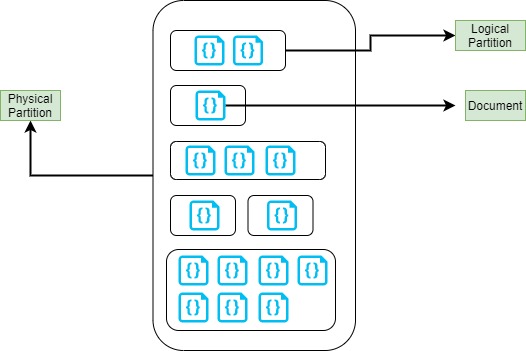
Physical Partitions: is space in a storage that allows Cosmos DB to scale horizontally adding more storage, physical partitions are an internal implementation of the system, and they are entirely managed by Azure Cosmos DB.
Logical Partitions: A logical partition consists of a set of documents that have the same partition key.
Documents: A document consists of user-defined content in JSON format.
Current Maximum Size (Note: these values are current Sep 2022, in the future it may change):
- Physical Partition Max Size: 50 GB
- Logical Partition Max Size: 20 GB
- Document Max Size: 2 MB
When is a physical partition created?
There are two conditions that produce a new partition:
- Size - Max Size 50 GB
- RUs - Max RU per partition 10,000 RUs
Those theoretical maximums are not isolated, here there are other factors that we need to consider.
What is the number of RUs defined in our Container or Database? (Just for this explanation I will talk exclusively for containers, not Database).
That information can be checked into the container as shown below:
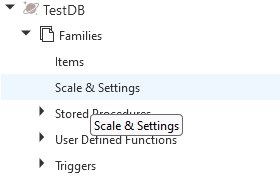
Then in the Scale section we can see the number of RUs assigned to this Container:
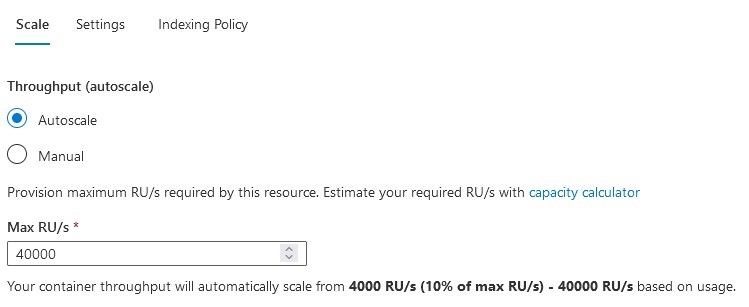
Based on the configuration presented in the image, we can see that the Maximum RUs is 40,000, it is higher than the 10,000 (Theoretical Maximum).
40,000 RUs > 10,000 RUs - What does it mean?
In case that our scenario consists of heavy read, it means that we are running queries very frequently. Cosmos DB will create additional physical partitions to support that demand based on the available RUs defined into the container.
In this case the distribution may be something like this:
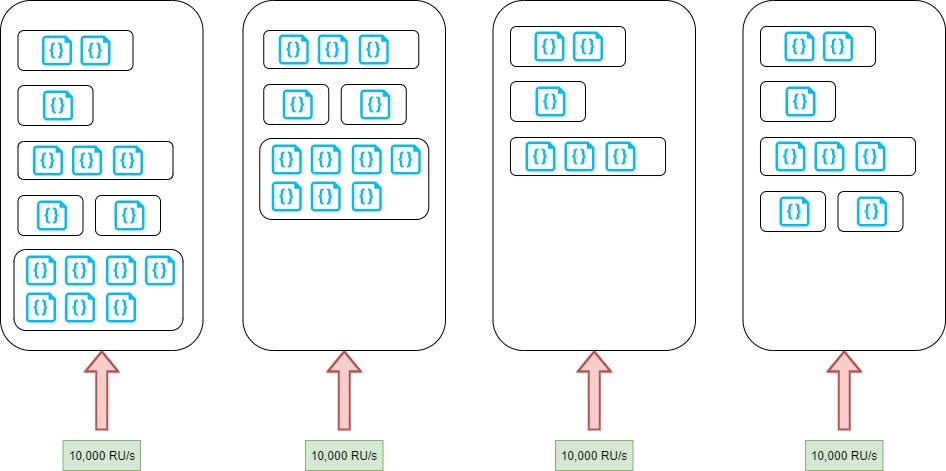
Each partition size is less than 50 GB (maximum theoretical size) but there are 4 partitions due to the RUs consumption.
What happens in a heavy writing scenario?
In a heavy writing scenario, we need to consider RUs but also the partition size.
For example, what happens if my container size is 360 GB? To support this volume we will need 360 GB / 50 GB = 7.2 ~ 8 Partitions.
8 Physical Partitions, how can we calculate the RUs distribution?
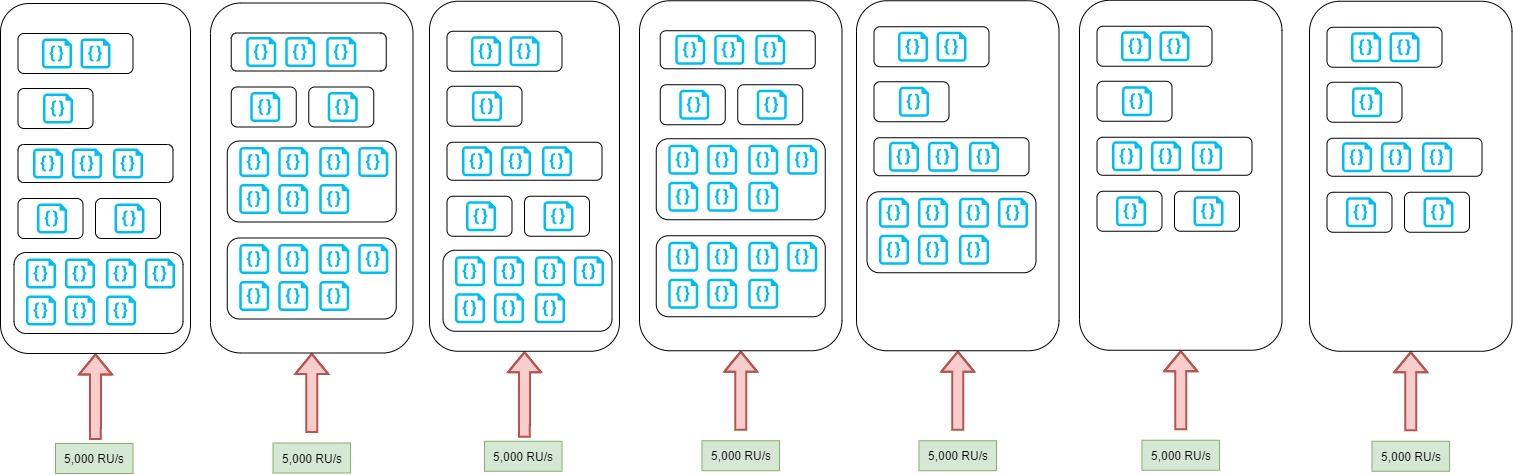
In this case we can see that the RUs are distributed across the 8 partitions equally and each partition has assigned a total of 5,000 RUs.
In these two scenarios (heavy write and heavy read) we can see how Cosmos DB is creating partitions and balancing the RUs based on the demand.
In the second post of this series, I will talk about Logical Partitions and some scenarios that will affect physical partitions.
How do we know how many physical partitions are being created?
This is the last point on this post, and it is a frequent question that I receive.
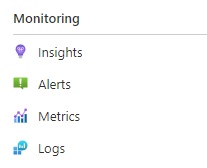
Cosmos DB provides some built-in dashboards where we can see this information. Under Monitoring → Insights (as shown in the image):
Under throughput option:

There is a chart called Normalized RU Consumption, there you can see the number of partitions. In this case 2 partitions:
